All Posts in

January 28, 2021 - No Comments!

How to Pivot Your edTech Product Directly to Consumers

As an edTech firm, you've already seen the push for learning products that work in the home. Does that mean it's time to adopt a new, business-to-consumer (B2C) strategy?

After all, you're used to designing products that help teachers facilitate a learning experience in the classroom. And you're used to marketing to administrators who want solutions their entire district can adopt.

The shift to a B2C strategy takes an entirely new mindset. In the direct-to-consumer model, you'll make or redesign learning products for an entirely new buyer—parents—that work in an entirely new environment—the home. This scenario opens up a new set of design questions, challenges, and rewards.

We're here to help you make the leap.

How COVID-19 Changed Traditional Classrooms and Classroom Technology

COVID-19 has underscored the importance of being able to learn anywhere—not just in a classroom setting. Thanks to remote learning, teachers have created greater continuity between technology used in the classroom and technology used in the home.

As a result, parents now understand they can have a more active role in their child's education. They'll take on that role as a more regular buyer and facilitator of edTech. Since students are now spending more time in front of screens, parents will want the hours their children devote to an app or a computer to be used for high-quality learning experiences.

With parents taking the lead in edTech consumption, the demand for highly engaging learning tools and digital experiences will only continue to grow. New digital experiences can even be student-led, or take place outside of a formal curriculum. While students won't necessarily engage with products that look and feel like school in the home, they can still learn from fun or engaging products.

Even as life returns to normal, these industry-wide shifts won't disappear any time soon. Traditional education publishers and edTech start-ups now have a good case for expanding their reach and putting high-quality content directly in front of consumers.

Here are three suggestions you can use to get started with your own pivot to the B2C market.

Lean on User Experience Research (UXR)

If teachers and students typically use your product in a school setting, you'll have to re-think your approach to both UXR and testing as you pivot to the consumer market.

We tend to think about schools as controlled environments, but individual homes are more of a wild card. Preparing to address this new environment should help you generate an entirely different set of questions about functionality, accessibility, and user needs. For example:

  • Are parents the buyer persona for your product?
  • Do they need their own portal?
  • How much onboarding support will a student need outside of a school environment to use your product effectively?
  • Will parents be the ones who provide that onboarding support?

In addition to researching and testing your product with both parents and kids, you'll have to cast a wider net in order to find the right number of subjects. Unlike testing products designed for a more formal educational environment, you won't have to rely as heavily on subject matter or teaching experts for feedback.

UserTesting.com and other virtual learning platforms can help you recruit the new types of users you're looking for. Use your company's networks to find as many people as you can without narrowing your field too drastically. You'll want to develop the right balance of both ethnic and geographic diversity to get the results that will be most helpful for your UXR process.

Address the Biggest edTech Concerns of Parents

Learning products have a completely different set of stakes in the home environment. Unlike teachers, parents aren't under the same amount of pressure to push kids across a finish line or encourage them to stick with a tool that challenges them.

Parents do, however, have a different set of emotional concerns than educators. From screen time to physiological well-being, parents have a heightened awareness of their child's relationship to technology in the home.

All parents hope their "student" user will stay engaged with a learning product for their own benefit. From a design standpoint, we encourage clients pivoting to the consumer market to embrace gameplay and problem-solving narratives. Consumer products can deliver rich gaming experiences that teachers wouldn't necessarily be interested in—or have time to incorporate into their curriculum. Consumer learning products can also incorporate fun activities with game mechanics, like DuoLingo, to keep students engaged as they learn new concepts.

With the rise of remote learning, parents also want their child's social-emotional learning (SEL) to stay on track. By placing a greater emphasis on the social aspect of your game or product, you can build community, even among young users. In school environments, the community component of edTech products is automatically safe and controlled. While this can be a challenge to address in consumer eTech products, building safe communities ultimately helps with SEL growth and addresses fundamental parent concerns about technology in the home.

Involve Marketing Stakeholders in edTech Product Design

From a marketing perspective, pivoting your edTech product from a B2B to B2C model could be a significant challenge. As an edTech company, you likely market directly to educators and administrators, which means you don't already have strong consumer marketing channels in place.

That doesn't mean your pivot won't work—just that you need to develop a different strategy to ensure your pivot is a successful one!

If you're considering marketing directly to consumers, it's important to involve your marketing stakeholders from the beginning stages of product design. Strong UX designers can provide your marketing team with basic guidance about how to reach parents, rather than an educator or administrator, with the right values-based language.

Parents need reassurance that their child will enjoy and engage with your product. After all, even when you're marketing edTech products directly to consumers, you're still selling a learning tool designed for skill development, rather than pure entertainment. By participating in early design meetings, your marketing team can think through parent needs and expectations as your product's features come to life.

Through competitive research and experience in the field, your designers might also suggest consumer companies that could make a good fit for distribution partnerships. You may want to bring in a consumer marketing company as a consultancy for even more rigorous support. Whatever route you take, the sooner you involve marketing stakeholders in the design process, the sooner your new B2C marketing and distribution strategy can take shape.

By embracing user experience research, cultivating a deeper understanding of your parent persona, and collaborating with your marketing team, you'll be able to pivot your product from B2B to B2C with ease. Now that edTech has changed for good, your company will also be ready to address the ongoing challenges of remote and hybrid learning with engaging, high-quality learning content. Learning can happen anywhere—but only if you design the right tools to facilitate it.


Want to talk more about the UX solutions that can help your edTech product take off in the consumer market? Contact us!

January 19, 2021 - No Comments!

How to Integrate Your Development Team into the Creative Process

As remote learning becomes the norm, your UX design and development teams need to be even more thoughtful about how teachers use technology to reach their students.

From making it clear to teachers which of their screens is being shared during a Zoom lesson to providing innovative features for SEL growth and peer learning, our tech and design collaborations matter to the users who depend on our products.

Backpack Interactive is lucky enough to collaborate with incredible development teams. Our special creative partnerships with developers shape the work we've done with national brands, including Scholastic and Lego, and inform our approach to agile development.

With our insights from decades-long collaborations, you can infuse more creativity into your UX design and development collaborations and make better products from the ground up.

Ease Workflow Issues through Agile Development Practices

Agile development practices help you coordinate your design and development teams and work backwards from an objective or deadline. But staying flexible throughout this process also helps your entire team come up with creative approaches to design challenges.

For design teams, it's important to work closely with clients and stakeholders to define the problem or experience. The better you understand a design challenge conceptually, the easier it will be to clarify your project parameters with a development team and start riffing on potential solutions.

As design and technology needs are defined along the way, the end product becomes clearer. Ideally, this collaboration is what creates the best possible version of the product you were hired to build.

That's why working backwards is so important. You'll be able to think proactively about your timeline and develop solutions that fit the parameters of your deadline. Both you and your development team should work together to determine what an iterative road to a major feature goal looks like.

You might be surprised by what solutions jump out at you during these collaborations. Some feature ideas or solutions might not even be part of the original brief. Even so, they could support user needs or client business goals in new, innovative, and more efficient ways.

This process takes time—and mutual trust. Now that we're all working remotely, it's more important than ever to give collaborations between design and development teams more breathing room. If you're tightly scheduling meetings and sprints or making detailed agendas, you'll have less time for creative thinking and problem solving.

Identify More Technology Opportunities with Annotated Wireframes

Developers have plenty of know-how. But if your designers simply deliver their vision without considering the perspective of the development team, everyone misses out on technology opportunities.

Annotated wireframes are the best way to involve your development team throughout the process. Developers can make annotations on wireframes to discuss the functionality and feasibility of your team's UX solutions, so you're all thinking a few steps ahead. This is also the perfect system for developers to test edge cases or specific user cases and search for solutions early in the process.

Done well, annotated wireframes also provide a formally documented design and technology conversation that outlines solutions to real problems. Not every design project treats wireframes as an opportunity for collaboration. For this reason, it's important that both sides stay open to change throughout this process. Ultimately, a flexible conversation will produce better, more creative solutions to both design and technology challenges.

Once your design team and your development team have mastered the fundamentals of teamwork, both teams are freed up to be more creative. The best collaborations lead to innovative or human-centered products by anticipating sticking points and building a stronger product from the ground up.

Roll Out a Proof-of-Concept to Test the Viability of Your UX and Technology

By nature, proofs-of-concept are quick, lightweight ways to demonstrate your proposed solution to a specific design challenge. They ensure your approach will work and deliver on the feel of the product. Done well, they can speed stakeholder buy-in or approval.

A proof-of-concept can even be small—a piece of code that helps designers test out what an experience would be like for the user. Does animation between screens solve a visual transition issue? Can you design a reactive behavior into the experience to help a user understand their next step? (Think log-in fields that shake when a user mis-remembers their password.)

Working with your development team to build and test a proof-of-concept is especially important right now. We don't know how learning tools designed for the classroom will translate to remote learning environments. This means we need to test out new ideas even more quickly By staying open to new, creative solutions, we'll meet the needs of teachers and students as they navigate working and learning from home.

We know that not every development team wants to participate in a partnership with UX designers. For development teams, iteration is more often about adhering to specific parameters rather than trying to solve unique design problems.

However, if you only focus on a project's design and technology parameters, you might not create the best possible product. It's important to stay open to the possibility that the product can get better along the way.

Working this way also requires a lot of trust between the client, your design and UX teams, and your development team. But if everyone accepts that the product can get better along the way, you'll create break-through moments where every member of the team can showcase their creative abilities.

For Backpack Interactive, proof-of-concept designs are one of the most exciting ways to create those break-through moments. They help us find more viable solutions that meet the needs of our users. They also shine a spotlight on the creative thinking of our development collaborators.

How to Stand Up a Stellar Digital Experience in 6 Weeks Flat: A LEGO Case Study

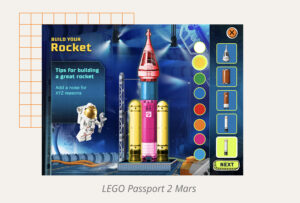
LEGO: Passport to Mars is a suite of interactive educational games designed to teach children ages 7 to 10 about space travel and teamwork. It also offers a postcard generator, so children can create and send messages featuring their LEGO models to friends and family.

Our biggest design challenge was to help children learn complex ideas through story and gameplay, all while delivering on visual presentation. To meet the tight deadline, we knew we had to work in an agile, collaborative partnership with one of our favorite development teams—the folks at Atomic.

Delivering on Delight—without a Database

In order to focus on storytelling, we spent several days storyboarding activities for gameplay rather than developing wireframes. Because we provided our development team with fewer technical specifications at the outset of the project, they wrote more creative code that addressed functionality and sequencing in unique ways. For example, they came up with playful solutions for syncing up animation to audio, and we adapted our visual designs to better fit their suggestions.

Collaboration with the Atomic team throughout this process was crucial. Early in the process, we discovered there wasn't enough time to properly implement a database on the back end. To compensate, we designed individual postcards by creating artwork for every possible outcome a child might choose. This way, we were still able to provide a customizable postcard experience, even if the images couldn't be generated dynamically on the back end. This solution worked solely because we collaborated in lockstep with our development team. Atomic helped us develop strong organizing solutions for the project's graphic assets. They also created prototypes to ensure our design work-around would be successful.

The Technological Challenge of Rendering AR in a Browser Environment

Our next design and technology challenge arose when trying to render augmented reality (AR) in a browser environment rather than app. The intent was to design a great experience for children who might just be learning what AR is and how it works. In LEGO: Passport to Mars, this means that some children can scan their LEGO model and experience it in a virtual environment. Children without their own LEGO models experience animated versions that are just as fun to look at and explore.

From a technological standpoint, few open source options for browser-based AR existed. To work around this technical constraint, we hired a 3D animator to develop a proof-of-concept. Our animator brought a LEGO rocket model to life with billowing smoke and created a LEGO lunar buggy that picks up equipment and places it in a cargo bed. Both UX and visual design had to work backwards to address the technology limitations around AR and accomplish the goal by only using the tech our teams had access to.

Working this way can be both challenging and productive. As a design team, we were deeply involved in the technology decisions behind LEGO: Passport to Mars. This collaboration made the final experience stronger, more functional, and more fun. When design and development teams work in environments of mutual trust and creativity, great things happen.

Want to work collaboratively with a design team to solve technology issues in your next product? Contact us!

December 15, 2020 - No Comments!

Never Going Back: 5 Things That Have Changed for Good in edTech

Nine months into the pandemic, we now understand the challenges and pitfalls of remote and hybrid learning like never before. From spotty WiFi connections to cobbled-together learning software, students and teachers have had to adapt at the speed of light.

Remote learning has also permanently changed the way edTech designers work. We now design based on new understandings about what our users need and want—whether that's more software integrations for educators or better reporting data for parents monitoring their child's learning activities from home.

Here are five edTech trends that have changed for good—and how you can address them in your own product designs moving forward.

1. edTech personas have evolved

Remote learning caused a massive shift in the relationship students, teachers, and parents have with learning technology. These profound, personal, and fundamental changes in how we teach and learn mean that edTech designers and product owners are also approaching the way we discuss learning technology differently.

While we once might have assumed that teachers relied on paper and printable resources, even when using the occasional edTech product, we now know they're fully committed to digital learning tools. From learning management systems to virtual curricula, there's widespread acceptance of edTech among teachers. A teacher's user baseline, or the baseline assumptions designers can make about teachers' needs and pain points, has changed for good.

But teachers aren't the only personas whose user baselines have shifted. Parent users are becoming more sophisticated, curious, and confident when it comes to their learning tech choices. Thanks to remote learning, they have a brand new set of expectations about the products their children use for school. Some parents are even looking for supplemental technology to enhance what their children are doing at home.

Administrators, who were largely in the role of buyers pre-pandemic, have now shifted to focus more on basic hardware needs and internet access for their students, so they can adequately promote remote learning.

While this has been a difficult time for everyone in the education ecosphere, it's resulted in an exciting evolution of user relationships to technology. By paying attention to these shifts, edTech designers can successfully reflect these new, more sophisticated needs rather than trying to create products that are driven by content. The products that will stand out in future markets will listen to the needs of these sophisticated users and design solutions just for them.

2. Collaboration & SEL features will be cross-curricular

Social distancing has only emphasized the need for social emotional learning (SEL) across the curriculum. Educators who already believed in group projects and peer-to-peer learning are looking for ways to more effectively incorporate student collaboration into online coursework. Meanwhile, teachers who don't normally incorporate SEL have likely been mandated to work it into their existing curriculum.

As edTech designers, we must now be more deliberate and intentional about how to include these elements in our products. With the right features, edTech tools can help students build connections with one another and reflect on their interactions with peers. When teachers have SEL-powered tools at their fingertips, they can emphasize successful communication, collaboration, and reflection alongside student content mastery.

3. Student engagement will be asynchronous

Building interactivity into online lessons has proved challenging for even the most superstar educators. While peer-to-peer and group learning features will help teachers increase student engagement, emerging tools like virtual reality and just-in-time teacher help might boost engagement even further.

Now is a good time to experiment with XR, even in products for very young students. Virtual reality lessons help teachers explain complex concepts from afar, whether students are learning how rocket engines work or interacting with models to explore math and physics concepts.

And while we believe in well-designed features that facilitate real-time learning, asynchronous videos and explainers have real value for student engagement, too. As students move through lessons or learning sequences at their own pace, pre-recorded content creates opportunities for them to receive just-in-time help from their teacher.

With more asynchronous sequencing and planning, distance learning lessons become personalized or adaptable and therefore more engaging. If a concept doesn't make sense, students can watch the explainer and try again; re-watching is a great way to expand or deepen knowledge, too.

4. All products should foster adaptive learning

When you take away schools and classrooms, learning happens at a student's own pace. Even if every student uses the same material, the pace is determined by the individual. This makes learning adaptive in ways it rarely was in real-time classrooms.

Technology facilitates adaptive learning. Every teacher wants to have one-on-one time with students, and technology can help teachers do this at scale. From providing supplemental resources for areas of struggle to personalized check-ins based on individual progress, teachers can use learning tools to streamline one-on-one attention.

5. Teacher onboarding will never look the same

More product support and "meta" onboarding experiences for teachers will make or break future remote learning tools. Right now, teachers are spending hours they don't have packaging disparate digital tools, platforms, and resources together to support and deliver their curriculum. They need more support than ever from product owners regarding ways to integrate software choices and get the most out of every tool.

When new learning tools provide teachers with a step-by-step vision for how to integrate an application with the solutions teachers already use, teachers find immediate value. These proactive features support teachers as they onboard their own students to a digital classroom, cutting down on the amount of time they need to spend in a "tech support" role. After all, we want teachers to spend more time doing what they do best—teaching our students.

From rapidly shifting persona needs to more sophisticated onboarding, edTech is never going back to its old assumptions about product design. Despite all the challenges presented by remote learning, there are more opportunities than ever to design for teachers, students and parents right where they are. Are you ready to address these new and evolving needs in your own product design?

November 24, 2020 - No Comments!

20 Years of Insights from the Front Lines of edTech

For the past 20 years, Backpack Interactive has partnered with museums, universities, publishers, and major design firms to create edTech that engages learners and makes it even easier for educators to do their work.

By focusing on the simplicity and accessibility of our clients' UI, we've built products that amplify the efforts of hard-working teachers and create learning environments outside of traditional classrooms.

Whether you're working on a new way to address SEL in your product or re-thinking your approach to UXR, our impactful work with Scholastic, Wharton Business School, LEGO, and others can help you hone your own learning experience design principles and create even more valuable products for your users.

We know these forward-thinking design principles will take our business—and yours—into the next 20 years, and beyond. Here's to the future of edTech!

We believe in the power of good design.

Good design simplifies complex ideas in powerful and memorable ways. It isn't just a nice-to-have—it's a must-have.

Then:
In 2012, Weekly Reader (now Scholastic's Classroom Magazines) launched a digital platform designed to help kids understand the presidential election process.

Visual presentations and interactive timelines helped learners understand both candidates and the electoral process, while polling tools encouraged students to weigh in and share their opinions. The look and feel was playful and fun making the complex subject matter visually inviting.

Now:
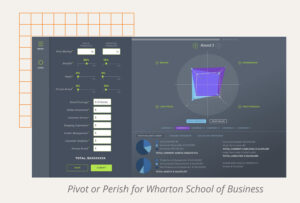
In 2019, we designed Wharton Business School's marketing simulation, Pivot or Perish. Pivot or Perish allows students to role-play as executives for a major department-store chain competing with online brands. Our UI helps them see the impact of their marketing decisions over time and displays complex data in slick, clean graphs and visualizations. By streamlining the game's instructions and contextual data into one, comprehensive learning experience, we ensured a complex game was a colorful, engaging, and fun learning tool.

Simplicity and accessibility go hand in hand.

When you simplify your design interface, you put fewer barriers between users and their end goal. Simpler experiences allow both teachers and students to concentrate on learning concepts—not learning software.

Then:
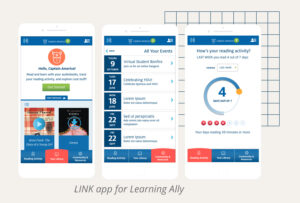
Learning Ally's LINK is designed to transform the learning experience of students with dyslexia or visual impairment through the power of audiobooks. In order to boost student confidence and lower barriers to engagement, we designed an app interface as simple, friendly, and powerful as its content. Since its launch in 2014, students have "read" more than 1 million pages in the app.

Now:
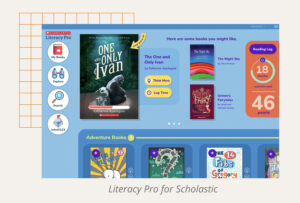
As a comprehensive independent reading platform, Scholastic's Literacy Pro application allows students to choose eBooks from Scholastic’s vast library based on their own interests and set reading goals. Our visual search interface helped eliminate typing for early readers and pre-readers, making the product more accessible.

The best edTech amplifies teachers.

By streamlining teachers' heavy workloads, well-designed tools give educators more time to teach and focus on their students.

Then:
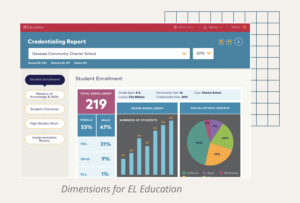
When EL Education needed to design a suite of reporting tools for educators, we created easy-to-use data collection software that required limited training. Used in real time on tablets, the software helps coaches and school administrators observe classrooms. Educators take supportive evidence photos using the tablet's camera and access reporting features that highlight their most important next steps. By streamlining reporting and eliminating guesswork, we give educators back valuable time in their days.

Now:
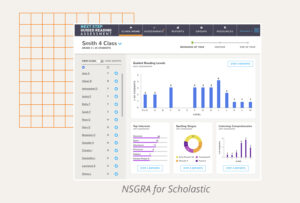
In 2019, we worked with Scholastic to redesign the Next Step Guided Reading Assessment, a suite of tools that assess students' ELA skills and provide actionable reporting for teachers. We streamlined what had always been a complex workflow, making it easier for teachers to assess students in real time. The tool's reporting features are also simple and intuitive, with drag-and-drop grouping features that help teachers plan instruction and address individual or group performance.

We believe in human-centered design.

We depend on user research to validate our classroom and at-home learning solutions, so we always create tools that streamline the efforts of those who facilitate learning.

Then:
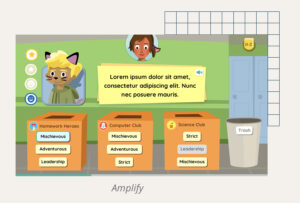
As we designed the UX for Amplify's English Language Arts games, we held weekly UXR sessions with real students in the classroom. With real-time reactions to guide our work, we were able to iterate and refine the UX of each game quickly. This kind of rigorous usability analysis always results in a stronger, more relevant end product that serves its users. We find this to be especially important for learning games.

Now:
In 2020, we launched Backpack Interactive's Teacher Council to reaffirm our commitment to human-centered design. This group of educators provides us with consistent insight into the problems teachers face around the country. They also participate in in-house user testing, research, and qualitative interviews about our client projects, from requirements and priorities to individual design features.

The best edTech can be used anywhere.

Not in a classroom? No problem. We believe the principles of a great learning experience can always be combined with technology and design to help users learn in many different places, spaces, and contexts.

Then:
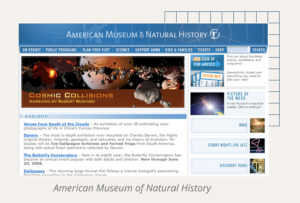
In 2000, we partnered with the American Museum of Natural History to redesign their main site to include digital exhibits. We also supported the digitization of AMNH Education, a curriculum guide for teachers interested in bringing AMNH exhibits into the classroom. Through good design, animation, and curricular tools, AMNH's digital exhibits became a learning experience that could reach users both in and out of the classroom.

Now:
Launched on the 50th Anniversary of the lunar landing, LEGO's Passport to Mars was designed to foster independent summer learning. A series of educational games, Passport to Mars teaches children ages 7-10 about engineering, teamwork—even space botany! Our project partner, Scholastic, validated all of the educational aspects of the product and helped extend the product's reach into classrooms the following fall.

edTech UX designers are specialists.

Because we work with students and teachers, we need to know more than good design principles. edTech UX designers also need to specialize in learning science in order to design stronger, more impactful learning tools.

Then:
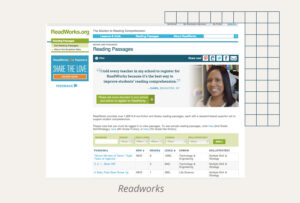
In 2008, we helped ReadWorks pivot their entire organization and delivery model to a digital platform. A national nonprofit, ReadWorks partners with K-12 teachers to provide high-impact instructional materials and tools that make an immediate difference in reading instruction.

By translating their offline curriculum into something they could use digitally, the organization was able to extend its reach across the country. In order to support how teachers would use this tool, Backpack Interactive needed a deep understanding of learning science, as well as a specialized approach to UXR.

Now:
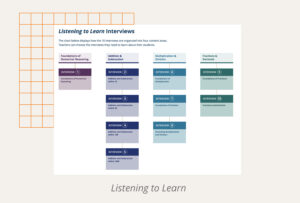
Listening to Learn
leverages the subject-matter expertise of Marilyn Burns and Lynne Zolli to facilitate interviews between teachers and students. These interviews help teachers better understand students' numerical reasoning abilities in real time.

Backpack Interactive's understanding of the classroom environment, knowledge of teacher-student dynamics, and the ability to test and validate assumptions helped us further refine the product's interface. With a crisp, clean UI, Listening to Learn streamlines the interview process for teachers and helps them record findings in real time. This way, teachers can focus on interviewing—not on learning complex software.

We believe in the power of partnership.

We believe in the power of partnering with organizations that share a mission to make an impact on learning.

Then:
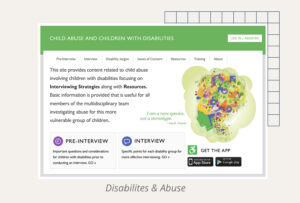
Forensic interviewers are often thrown into time-sensitive situations. For those who work with differently-abled, abused children, the stakes are even higher. Faculty at Columbia University's Teachers College wanted to design an easy-to-access digital learning resource for students working in their Disability and Abuse Project, so young professionals could better support these extremely vulnerable crime victims.

To help with this important mission, we created an easy-to-use app and supporting website. The content featured in the application was developed through years of groundbreaking research. Our app design made it easier for Columbia students to find these resources as quickly as possible and get victims the help they need.

Now:
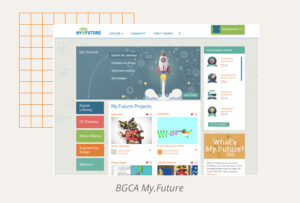
When Comcast and NBCUniversal teamed up with the Boys & Girls Clubs of America to transform the way their young members experience technology, they engaged Backpack to launch My.Future. Through engaging, project-based activities, My.Future helps kids develop skills to succeed in school, stay on track for high school graduation, prepare for college or a career, and meet the demands of a technology-driven society. By creating a tool for students that empowered them to set goals for their future careers, we fulfilled part of our mission to foster learner agency and impact through design.

"In the two months after launch, more than 17,000 members at 700+ Clubs participated in some way – a level of excitement that amazed us."

—David Crusoe, Senior Director, Digital Youth Engagement & EdTech, Boys & Girls Clubs of America

In our 20th year, edTech has accelerated faster than ever. The pandemic continues to re-shape learning, tools, experiences, and personas.

With two decades of expertise in the field, Backpack Interactive can lead the charge and meet our industry's newest set of challenges. We're ready to hit the ground running with solutions that will solve the biggest pain points of remote and hybrid learning, whether that's adaptive technology or a cross-curricular approach to SEL.

We know our design principles will fuel the next 20 years of conversation about edTech with our partners, clients, and peers, too. We're ready for the future of edTech. Are you coming with us?