Archives for November 2020

November 24, 2020 - No Comments!

20 Years of Insights from the Front Lines of edTech

For the past 20 years, Backpack Interactive has partnered with museums, universities, publishers, and major design firms to create edTech that engages learners and makes it even easier for educators to do their work.

By focusing on the simplicity and accessibility of our clients' UI, we've built products that amplify the efforts of hard-working teachers and create learning environments outside of traditional classrooms.

Whether you're working on a new way to address SEL in your product or re-thinking your approach to UXR, our impactful work with Scholastic, Wharton Business School, LEGO, and others can help you hone your own learning experience design principles and create even more valuable products for your users.

We know these forward-thinking design principles will take our business—and yours—into the next 20 years, and beyond. Here's to the future of edTech!

We believe in the power of good design.

Good design simplifies complex ideas in powerful and memorable ways. It isn't just a nice-to-have—it's a must-have.

Then:
In 2012, Weekly Reader (now Scholastic's Classroom Magazines) launched a digital platform designed to help kids understand the presidential election process.

Visual presentations and interactive timelines helped learners understand both candidates and the electoral process, while polling tools encouraged students to weigh in and share their opinions. The look and feel was playful and fun making the complex subject matter visually inviting.
Now:
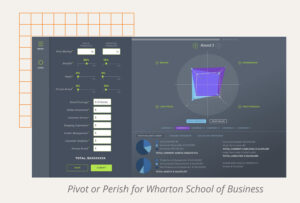
In 2019, we designed Wharton Business School's marketing simulation, Pivot or Perish. Pivot or Perish allows students to role-play as executives for a major department-store chain competing with online brands. Our UI helps them see the impact of their marketing decisions over time and displays complex data in slick, clean graphs and visualizations. By streamlining the game's instructions and contextual data into one, comprehensive learning experience, we ensured a complex game was a colorful, engaging, and fun learning tool.

Simplicity and accessibility go hand in hand.

When you simplify your design interface, you put fewer barriers between users and their end goal. Simpler experiences allow both teachers and students to concentrate on learning concepts—not learning software.
Then:
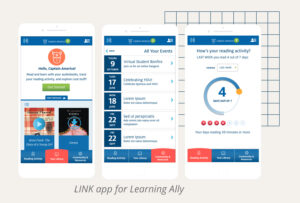
Learning Ally's LINK is designed to transform the learning experience of students with dyslexia or visual impairment through the power of audiobooks. In order to boost student confidence and lower barriers to engagement, we designed an app interface as simple, friendly, and powerful as its content. Since its launch in 2014, students have "read" more than 1 million pages in the app.
Now:
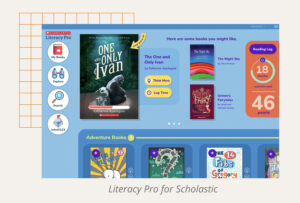
As a comprehensive independent reading platform, Scholastic's Literacy Pro application allows students to choose eBooks from Scholastic’s vast library based on their own interests and set reading goals. Our visual search interface helped eliminate typing for early readers and pre-readers, making the product more accessible.

The best edTech amplifies teachers.

By streamlining teachers' heavy workloads, well-designed tools give educators more time to teach and focus on their students.
Then:
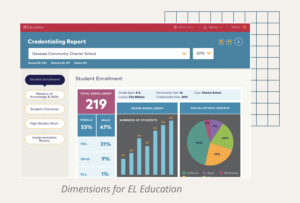
When EL Education needed to design a suite of reporting tools for educators, we created easy-to-use data collection software that required limited training. Used in real time on tablets, the software helps coaches and school administrators observe classrooms. Educators take supportive evidence photos using the tablet's camera and access reporting features that highlight their most important next steps. By streamlining reporting and eliminating guesswork, we give educators back valuable time in their days.
Now:
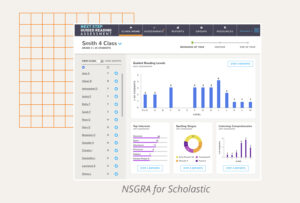
In 2019, we worked with Scholastic to redesign the Next Step Guided Reading Assessment, a suite of tools that assess students' ELA skills and provide actionable reporting for teachers. We streamlined what had always been a complex workflow, making it easier for teachers to assess students in real time. The tool's reporting features are also simple and intuitive, with drag-and-drop grouping features that help teachers plan instruction and address individual or group performance.

We believe in human-centered design.

We depend on user research to validate our classroom and at-home learning solutions, so we always create tools that streamline the efforts of those who facilitate learning.
Then:
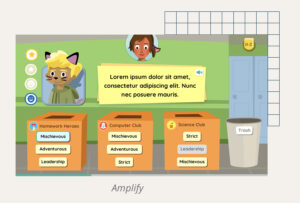
As we designed the UX for Amplify's English Language Arts games, we held weekly UXR sessions with real students in the classroom. With real-time reactions to guide our work, we were able to iterate and refine the UX of each game quickly. This kind of rigorous usability analysis always results in a stronger, more relevant end product that serves its users. We find this to be especially important for learning games.
Now:
In 2020, we launched Backpack Interactive's Teacher Council to reaffirm our commitment to human-centered design. This group of educators provides us with consistent insight into the problems teachers face around the country. They also participate in in-house user testing, research, and qualitative interviews about our client projects, from requirements and priorities to individual design features.

The best edTech can be used anywhere.

Not in a classroom? No problem. We believe the principles of a great learning experience can always be combined with technology and design to help users learn in many different places, spaces, and contexts.
Then:
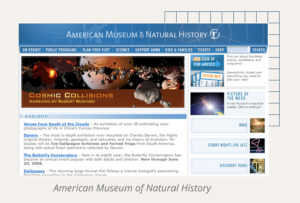
In 2000, we partnered with the American Museum of Natural History to redesign their main site to include digital exhibits. We also supported the digitization of AMNH Education, a curriculum guide for teachers interested in bringing AMNH exhibits into the classroom. Through good design, animation, and curricular tools, AMNH's digital exhibits became a learning experience that could reach users both in and out of the classroom.
Now:
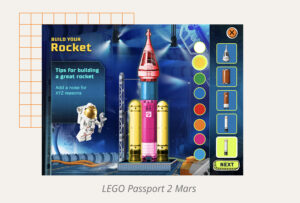
Launched on the 50th Anniversary of the lunar landing, LEGO's Passport to Mars was designed to foster independent summer learning. A series of educational games, Passport to Mars teaches children ages 7-10 about engineering, teamwork—even space botany! Our project partner, Scholastic, validated all of the educational aspects of the product and helped extend the product's reach into classrooms the following fall.

edTech UX designers are specialists.

Because we work with students and teachers, we need to know more than good design principles. edTech UX designers also need to specialize in learning science in order to design stronger, more impactful learning tools.
Then:
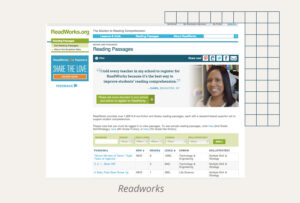
In 2008, we helped ReadWorks pivot their entire organization and delivery model to a digital platform. A national nonprofit, ReadWorks partners with K-12 teachers to provide high-impact instructional materials and tools that make an immediate difference in reading instruction.

By translating their offline curriculum into something they could use digitally, the organization was able to extend its reach across the country. In order to support how teachers would use this tool, Backpack Interactive needed a deep understanding of learning science, as well as a specialized approach to UXR.
Now:
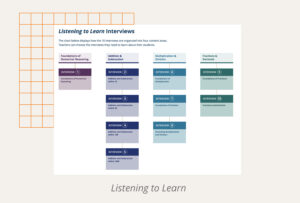
Listening to Learn
leverages the subject-matter expertise of Marilyn Burns and Lynne Zolli to facilitate interviews between teachers and students. These interviews help teachers better understand students' numerical reasoning abilities in real time.

Backpack Interactive's understanding of the classroom environment, knowledge of teacher-student dynamics, and the ability to test and validate assumptions helped us further refine the product's interface. With a crisp, clean UI, Listening to Learn streamlines the interview process for teachers and helps them record findings in real time. This way, teachers can focus on interviewing—not on learning complex software.

We believe in the power of partnership.
We believe in the power of partnering with organizations that share a mission to make an impact on learning.
Then:
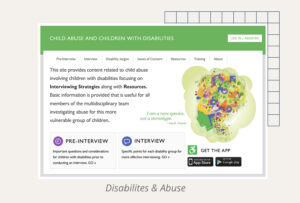
Forensic interviewers are often thrown into time-sensitive situations. For those who work with differently-abled, abused children, the stakes are even higher. Faculty at Columbia University's Teachers College wanted to design an easy-to-access digital learning resource for students working in their Disability and Abuse Project, so young professionals could better support these extremely vulnerable crime victims.

To help with this important mission, we created an easy-to-use app and supporting website. The content featured in the application was developed through years of groundbreaking research. Our app design made it easier for Columbia students to find these resources as quickly as possible and get victims the help they need.
Now:
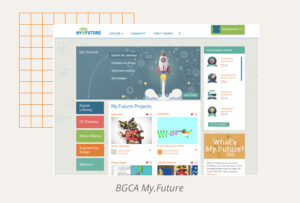
When Comcast and NBCUniversal teamed up with the Boys & Girls Clubs of America to transform the way their young members experience technology, they engaged Backpack to launch My.Future. Through engaging, project-based activities, My.Future helps kids develop skills to succeed in school, stay on track for high school graduation, prepare for college or a career, and meet the demands of a technology-driven society. By creating a tool for students that empowered them to set goals for their future careers, we fulfilled part of our mission to foster learner agency and impact through design.

"In the two months after launch, more than 17,000 members at 700+ Clubs participated in some way – a level of excitement that amazed us."

—David Crusoe, Senior Director, Digital Youth Engagement & EdTech, Boys & Girls Clubs of America

In our 20th year, edTech has accelerated faster than ever. The pandemic continues to re-shape learning, tools, experiences, and personas.

With two decades of expertise in the field, Backpack Interactive can lead the charge and meet our industry's newest set of challenges. We're ready to hit the ground running with solutions that will solve the biggest pain points of remote and hybrid learning, whether that's adaptive technology or a cross-curricular approach to SEL.

We know our design principles will fuel the next 20 years of conversation about edTech with our partners, clients, and peers, too. We're ready for the future of edTech. Are you coming with us?

November 12, 2020 - No Comments!

What Teachers Really Need in a Remote Learning Product

The rapid switch to remote learning this past spring revealed major gaps in digital learning tools. Teachers often struggled to reach students working at different paces or levels within the same class. At times, educators even cobbled together three or four applications to ensure their students could access and understand high-quality learning content. The rise of the Zoom lesson also brought major dips in student engagement, since students felt less connected to their instructors and their peers.

Even if classrooms make a return to learning in person full-time, edTech designers now have an incredible opportunity to reflect on and meaningfully address these pain points. We surveyed our Teacher Council about the challenges of remote learning, then sat down for a roundtable discussion about their needs. By the end, we'd received numerous insights about what teachers are looking for in remote learning tools, including design ideas product owners can implement right now.

From mobile-ready design to adaptive learning technology, here's what teachers really need in remote learning products.

Teacher Pain Points: Where edTech Falls Short for Remote Learning Tools

Equity and accessibility

About 25% of our Teacher Council members report that their students don't have access to technology while working and studying at home. Most of the educators on our Teacher Council work in urban school districts. Even so, student access to technology is a nation-wide problem further exacerbated by the pandemic and socially distant learning.

While edTech will never be able to solve social inequality, there are strategies edTech designers can use to help ease this pain point. For instance, lightweight, mobile-ready designs make it easier for students to work on their parents' phones and other mobile devices, especially when using spotty or public internet connections.

Engagement

During distance learning, teachers have fewer opportunities to connect with students and support their social-emotional growth with the one-on-one attention that reinforces learning. When digital tools promote student engagement, students are more likely to stay focused, learn material, and retain complex subject matter.

edTech products should help older students understand the value of using the tool, promote learner agency, and facilitate group learning. edTech can also bolster products with SEL features to address the need for additional support.

Differentiation and adaptive tech

In the classroom, teachers are able to differentiate—or, quickly change their teaching style, language of instruction, mode, or medium—in order to reach every student.

Digital tools need to offer this kind of flexibility when a teacher can't work with students in person. This might mean providing additional language support for emerging ELL students, developing audio or video components to content, or using voice-to-text tools to help teachers meet students where they are.

Adaptive learning technology can provide additional support for teachers looking to differentiate content. In an ideal piece of software, adaptive learning technology would recognize a student's level of content knowledge and deliver additional content at the right level. Adaptive technology is especially important during remote learning, when teachers can't necessarily assess and reassess how students are performing during one-on-one interactions.

Ultimately, teachers are looking for tools that differentiate because they want to streamline the number of tools used during distance learning. When teachers are able to pick one digital learning tool that all the students in their class can use, regardless of ability, content knowledge, or language acquisition, they are better able to facilitate learning and ensure accessibility for all their students.

Professional development

Suddenly having to deliver an entire curriculum using digital tools was a challenge for most teachers, especially those who felt less confident using technology. Through onboarding and other forms of support, edTech products can do more to help teachers sequence their curriculum or guide those who find digital learning tools less intuitive to use.

When edTech product owners also switch their professional development content to flexible, mobile-friendly content like pre-recorded video, teachers are more likely to engage with and use content on their own time. Post-pandemic, flexibility and asynchronous content are key for busy, overwhelmed educators who still want to learn, develop, and grow.

75% of teachers reported that their students became less engaged in socially distant learning over time. 

How edTech can Lead the Way in Designing Better Remote Learning Tools

As leaders in the edTech industry, we have a unique opportunity to reflect on the successes and failures of digital tools in remote learning contexts. Now is the time to better understand the challenges faced by both teachers and students through more thoughtful UXR.

Whether you opt for low-hanging fruit, like mobile-friendly design, or go all out with new and improved remote learning features, we hope our insights deck provides you the road map you need to a stronger product.

When we take the time to learn from teachers about their needs and challenges as an industry, all edTech products become more useful—and more valuable—learning tools.

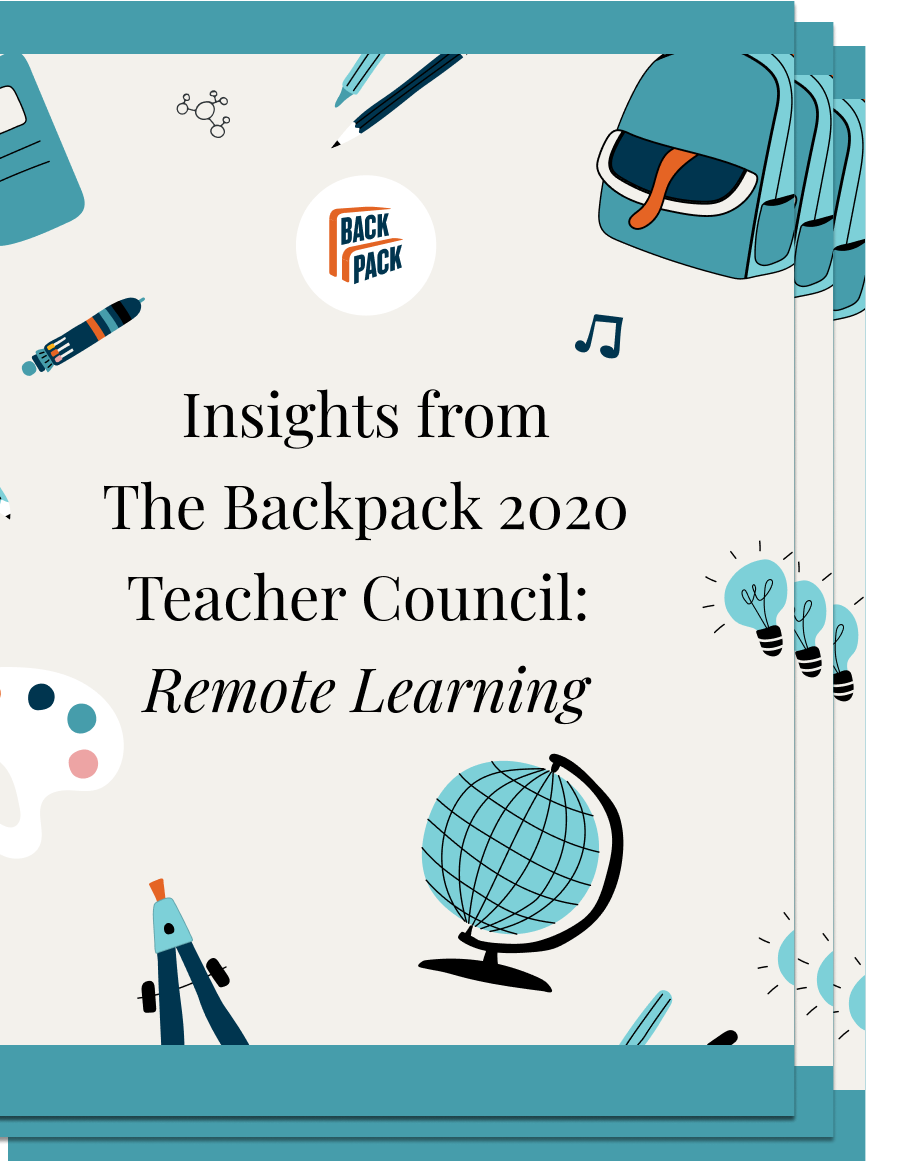
Download insights on remote learning from our Teacher Council below—and stay tuned for even more teacher takeaways you can apply to product design in the future.

November 9, 2020 - No Comments!

How to Build and Launch an Online Course in a Crowded Market

When we work with brands to develop an online course from existing content or from the ground-up, we know how important it is to design a product that will stand out in a crowded market. Teachers already have many products to choose from, which means plug-and-play content and turn-key solutions will only take your company so far.

Even if you already have tried-and-true learning content to work with, translating a validated curriculum into the digital realm is a deceptively heavy lift. It requires more research and more creative design thinking to create an engaging digital tool based on existing intellectual property. Not only are you working in a different medium with new challenges (and benefits!), you'll also have to re-validate your content with subject matter experts to ensure the new learning experience is still valuable for students.

But this work is where the magic happens—and what can actually make your product stand out from the crowd. With a strong commitment to user experience research (UXR), you can leverage all the strengths of the medium to drive student engagement, facilitate learning, and differentiate your online course in an overcrowded marketplace.

Stand out from the Crowd with Engaging Features, Sequencing Tools, and Teacher Support

As soon as you move from textbooks and worksheets to eCourses and digital curricula, the expectations of school administrators, teachers, and students change. In order to be adopted and supported by educators, your new online course needs to fit into their curricular ecosystem—and deliver on engagement and ease-of-use.

Here are a few of the tactics we always consider as we work with clients to differentiate their products:

Engagement

Wherever we can, we look for ways to interject the interactive and peer learning features that make content more engaging.

Not only are these features more interesting than testing or assessment, but they also support teachers who want to use whole-group instruction to get to the heart of content. Encouraging participation with tools like Kahoot, used to conduct real-time polling, can also keep students engaged as they see their peers' opinions unfold in real time.

By designing engaging features that complement your learning content, you'll receive user data that demonstrates your product is more effective than an eCourse without these features. Often this corresponds to greater satisfaction from teachers, too. Your product makes their job easier. If you also include strong reporting tools, your product will make educators look good in front of both bosses and parents—a win-win.

Together, engagement and reporting features are more likely to spur teacher advocacy and school district adoption. And that means your tool is more likely to get noticed.

Sequencing 

From an edTech design standpoint, eCourses are meant to sequence information in an intuitive and intelligent way. Traditional sequencing allows students to work asynchronously and finish lessons on their own time—an especially important benefit during remote learning.

Smart sequencing tools can also react to learners' individual interests, promote learner agency, and spark more engagement. For example, low-stakes questions about content can establish where a learner's interests lie and offer multiple ways to engage in the next step or piece of content.

Whether you use traditional sequencing features or amp up your design, automating these features will streamline a teacher's workload. When a tool is easy to use and helps teachers cut down on administrative tasks, you're one step closer to adoption.

Teacher Support

In order to be adopted, your product has to do more than engage students and help teachers sequence information in smart ways. It also needs an exceptionally designed teaching experience.

Onboarding elements should help teachers understand how your product is an easy-to-use part of their toolkit that fits seamlessly into their classroom or curriculum. Improve searchability, so teachers can easily find materials for specific concepts or explainers that link your content to state and national standards.

Providing superior teacher support means teachers will spend less time learning how to use your tool and more time doing what they're best at—teaching.

How SuperD!ville Transformed a YouTube Channel into a Full SEL Curriculum

SuperD!ville was founded to empower students with learning disabilities, prevent frustration, and reduce stigma. Before re-launching their site, the company had developed incredible video content that taught students of all abilities SEL skills. Their videos feature students with learning disabilities and address issues as diverse as bullying and coping with dyslexia. In order to reach more students and make a bigger impact, SuperD!ville wanted to transform their stand-alone videos into a full SEL curriculum.

To provide SuperD!ville with the scaffolding they needed to reach more users, Backpack Interactive built a high-quality interface that helps teachers integrate video content and interactive lessons into their curriculum. When it comes to SEL, we know how important it is for kids to discuss content and reflect on behaviors they encounter in their own lives. With discussion prompts and tips, teachers who use SuperD!ville's curriculum can now create those important reflective moments in their own classrooms.

We worked with the SuperD! team and content experts to create smart activity sequencing for teachers, as well as pre- and post-assessments for each lesson. Multiple rounds of product testing with teachers validated the importance of SuperD!ville's content and the effectiveness of the curricular guides. By incorporating teacher support into the design, we ensured teachers would find immediate, tangible value in the product.

In addition to developing the UI for their video content and curricular materials, we provided additional strategic and design support for SuperD!ville's eCommerce and subscription models. By taking early elements of SuperD!Ville's branding and developing them throughout product design, their new site became the foundation for the entire corporate look and feel. On the back end, we built tools that allowed SuperD!ville to monitor user behavior and adjust or iterate as needed.

When the Right Features and Brand Elements Help You Reach More Users

Ultimately, the development of SuperD!ville's new site is a classic example of how designing for one persona affects all the personas in the product's ecosystem. (Around here, we tend to call that "persona resonance.") On the surface, we helped SuperD! develop a fun, engaging product for middle school students. In reality, however, the content demanded that we also develop a product that spoke directly to middle school teachers. By creating curricular coherence through design and using a sophisticated approach to packaging, we ensured that teachers would use, love, and adopt SuperD!'s transformative SEL content.

Even when you start out with incredible content, like SuperD!, the product development process for a new online course is intensive. But when you invest in content experts, UXR, and high-quality design, the end results speak for themselves. With engaging features, smart sequencing tools, and dedicated support for teachers, you can take strong learning content and leverage incredible UX to make a product guaranteed to stand out from the crowd.

If you need help taking your learning content to the next level, let's talk.